Design System | weather.com
The Weather Channel · 2006 – 2016 · Component Library, Mobile UI Kit & Cross-Platform Design System
Design Sprints & Team Critiques
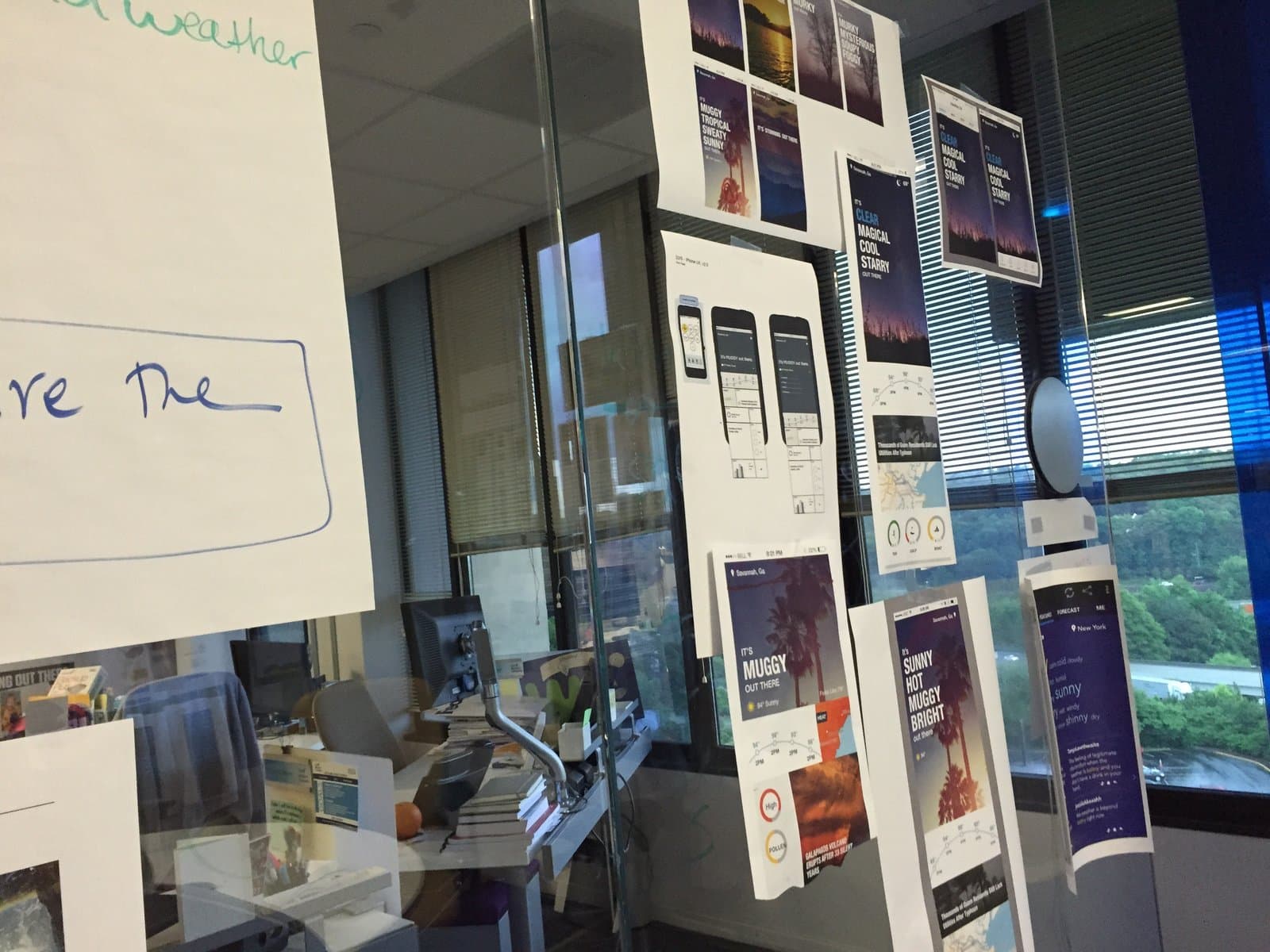
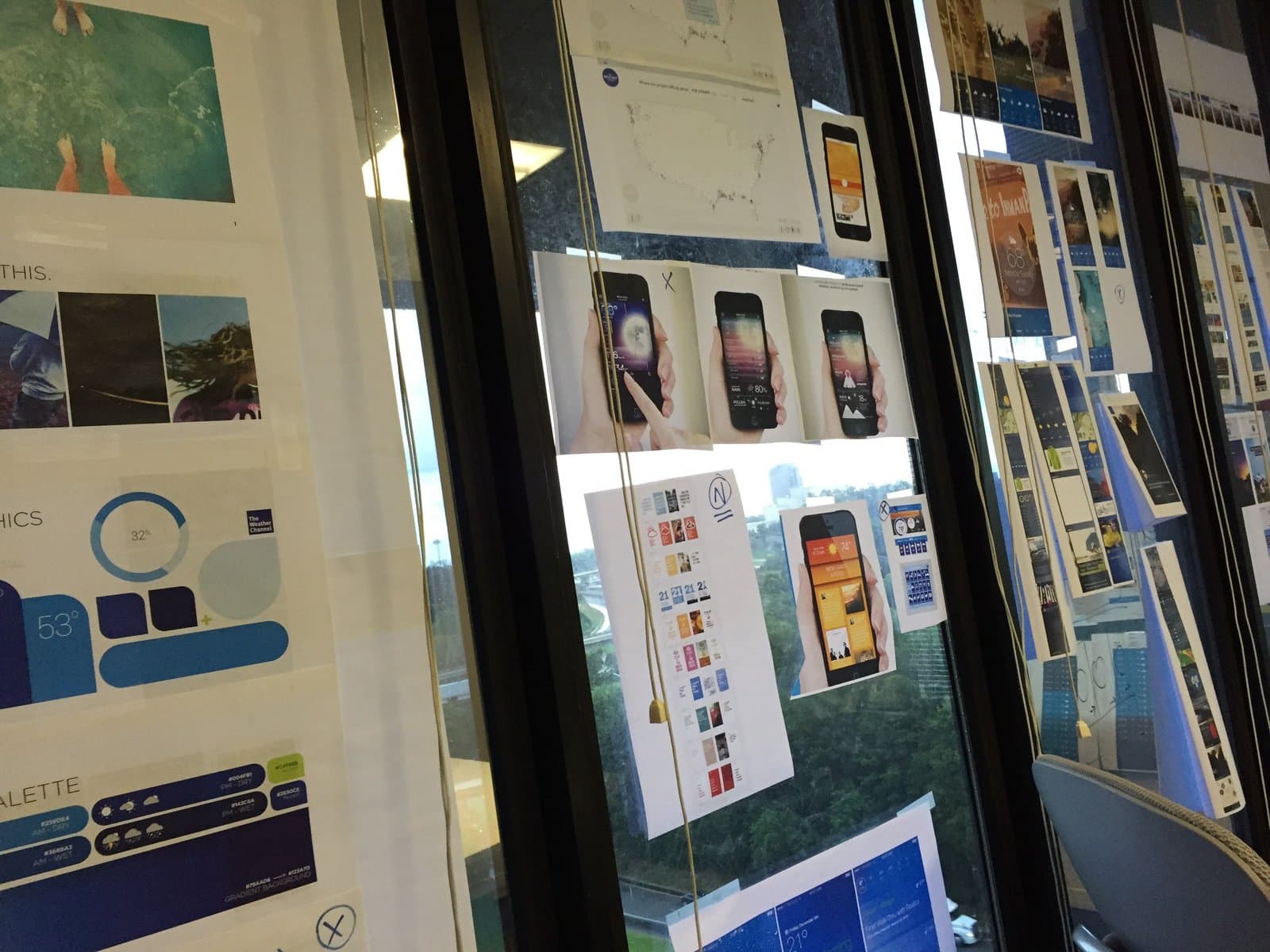
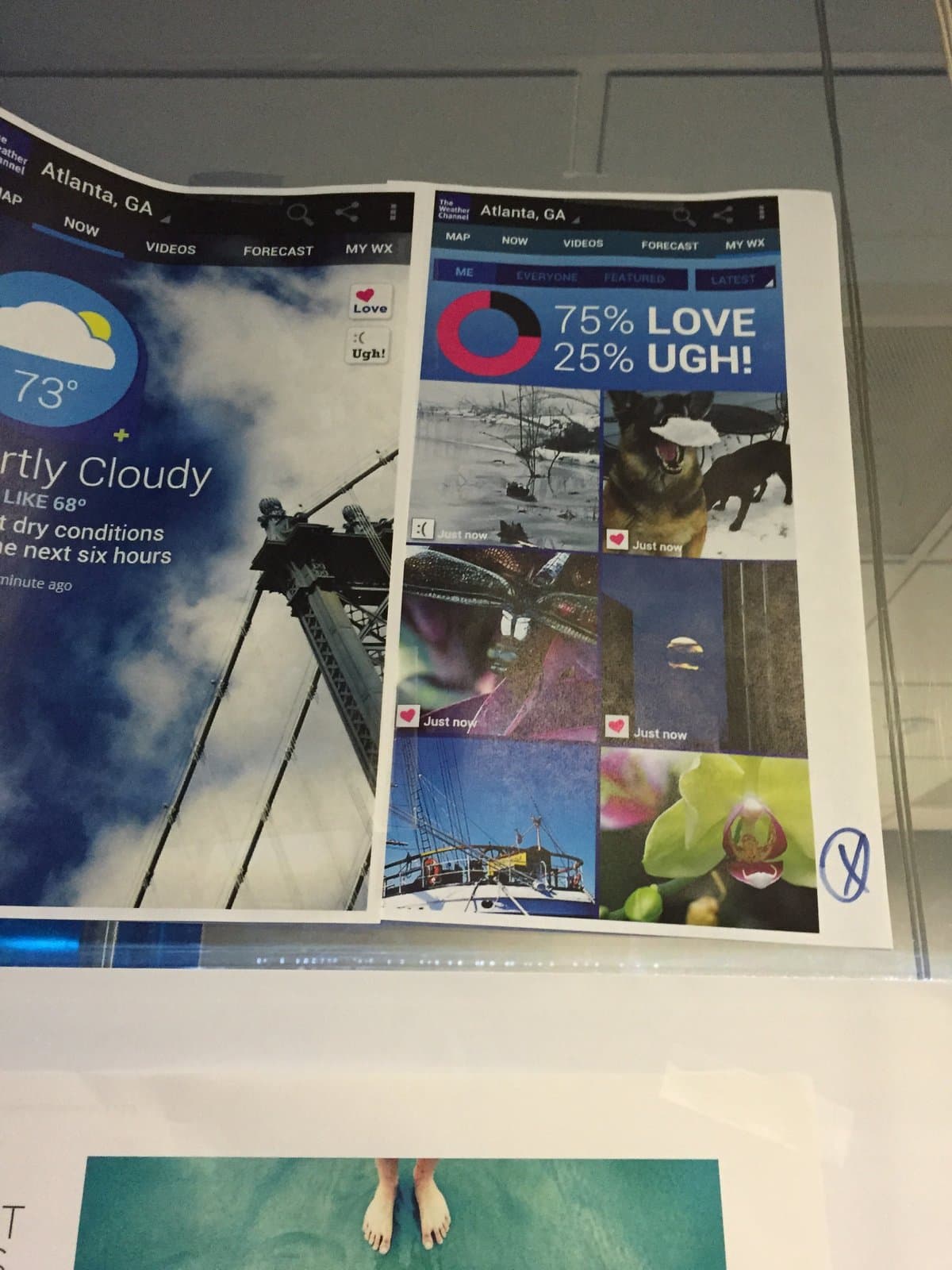
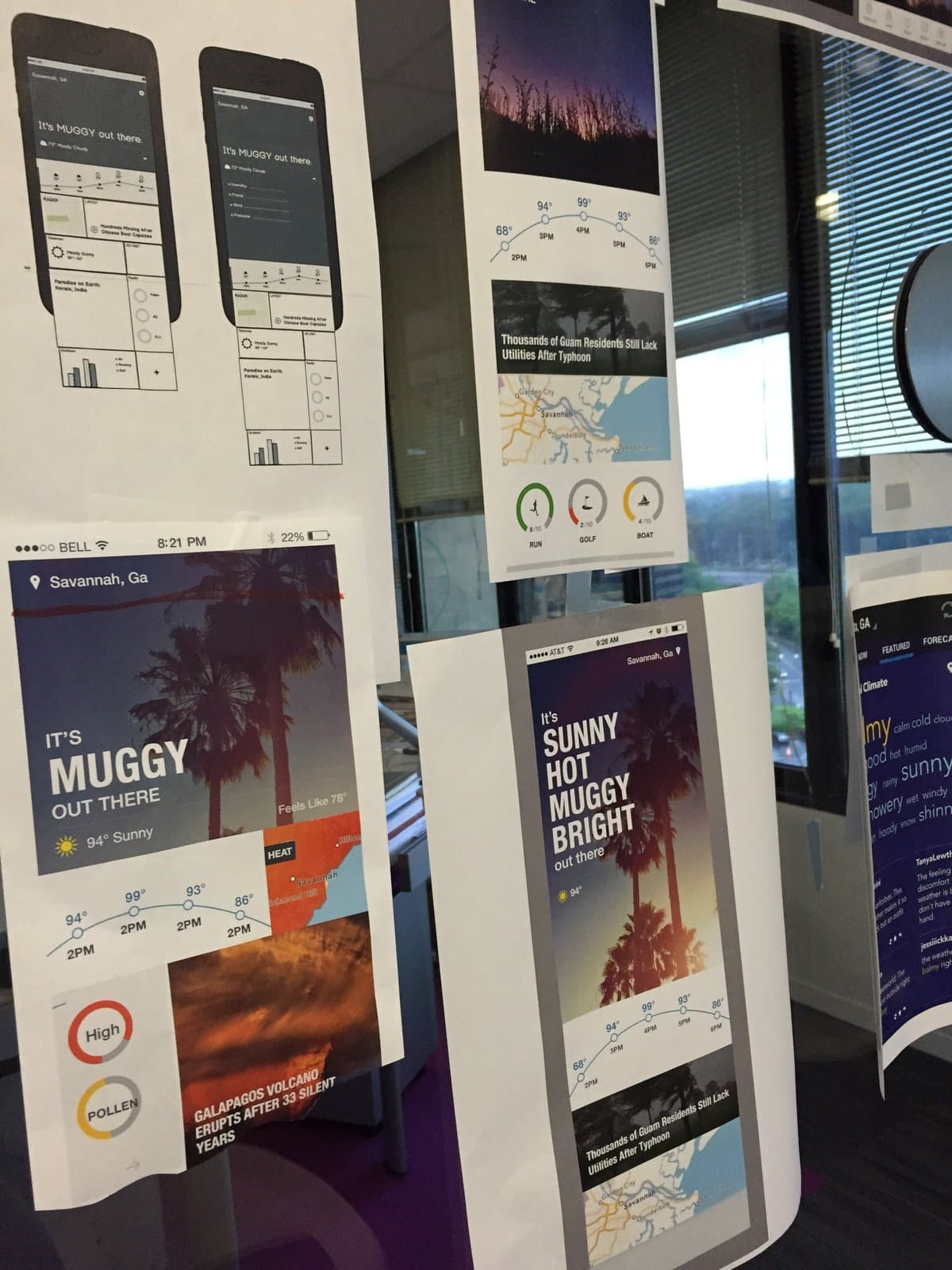
The work didn't happen in isolation. A core part of the creative process at weather.com was rapid critique, printing designs at scale, hanging them on glass walls, and running the team through structured reviews. These design sprints drove convergence on everything from app typography and weather narrative language to UI color palettes, iconography, and cross-platform layout decisions. We focused on an interative and incremental approach with all product development sprints.
Design System | weather.com
With hundreds of millions of users, the Weather Channel app had a staggering reach. I joined TWC in 2011 as its first dedicated mobile designer, and over the next five years led visual design and UX for the company's mobile apps across iOS and Android.
The work below covers redesign work for the Weather Channel mobile apps. Most of the design and UX from that release shipped and remained in place for years afterward.
Product Strategy, Art Direction, UX & UI Design · iOS & Android Applications
Mobile App Redesign
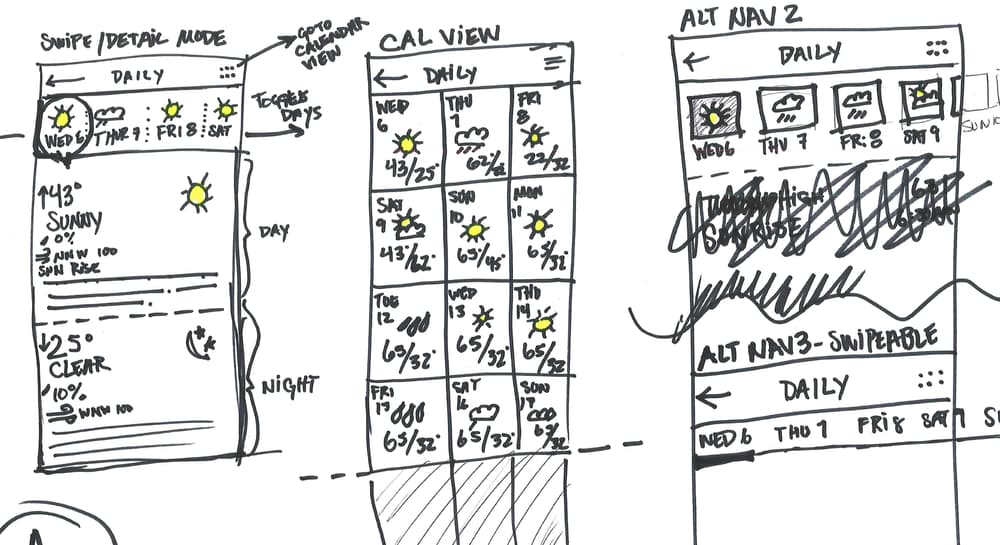
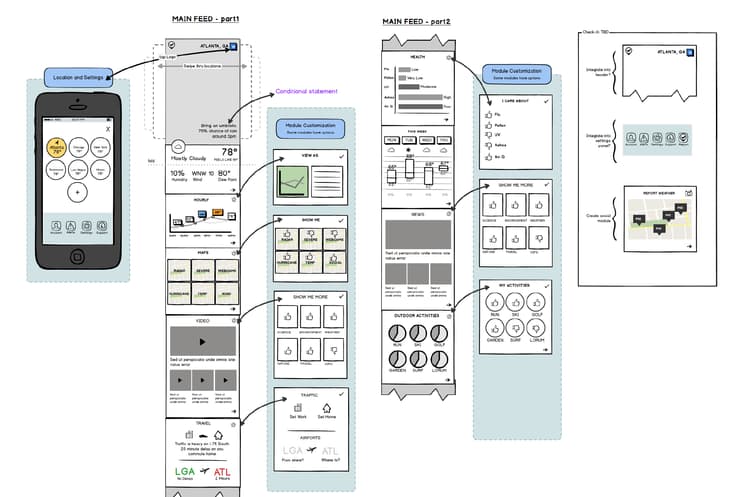
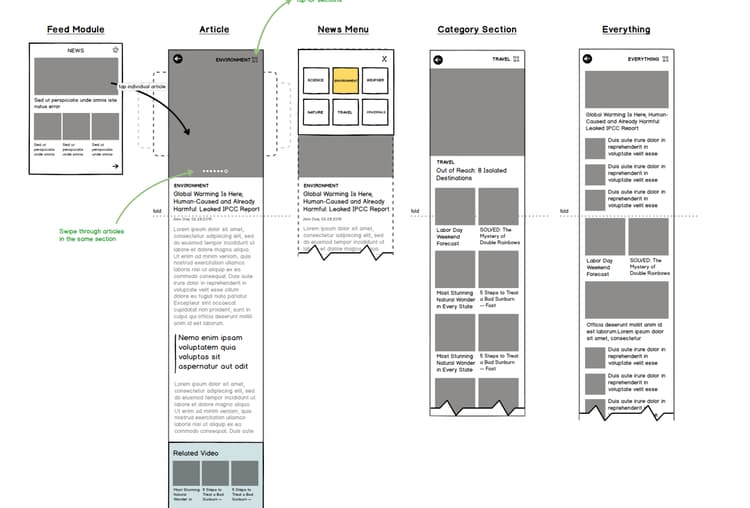
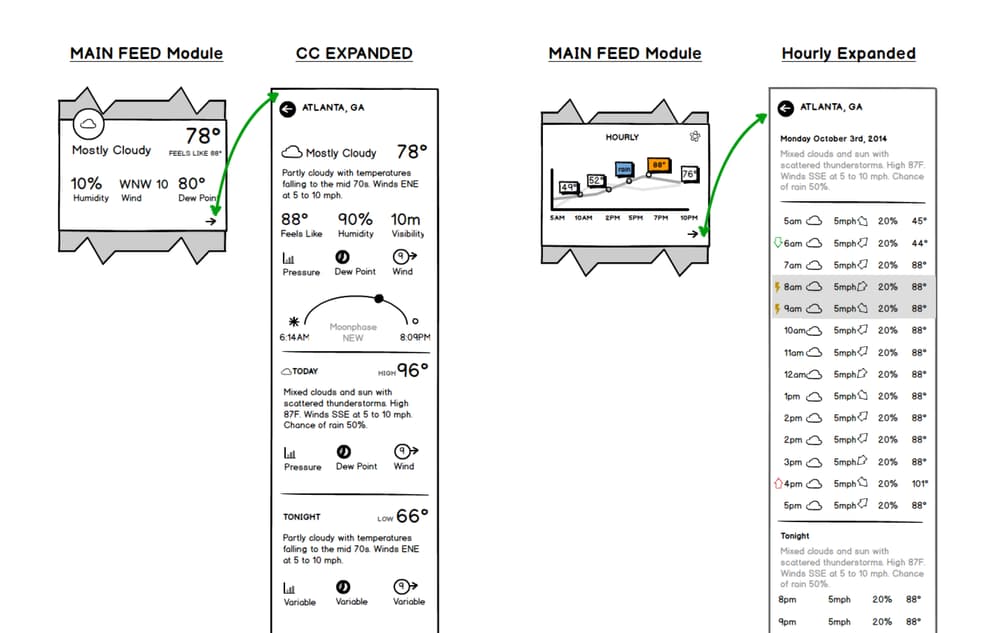
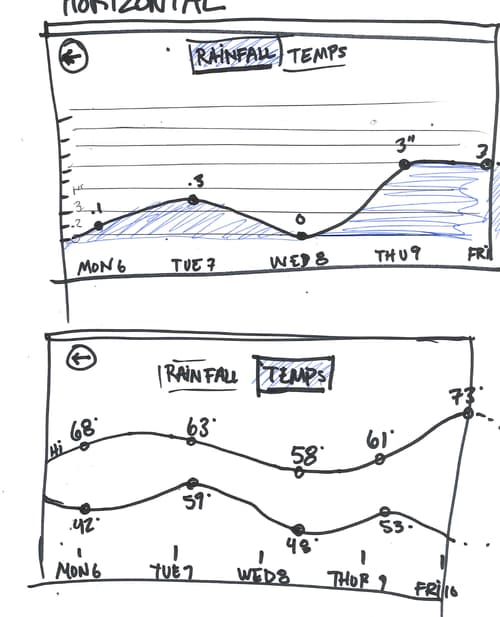
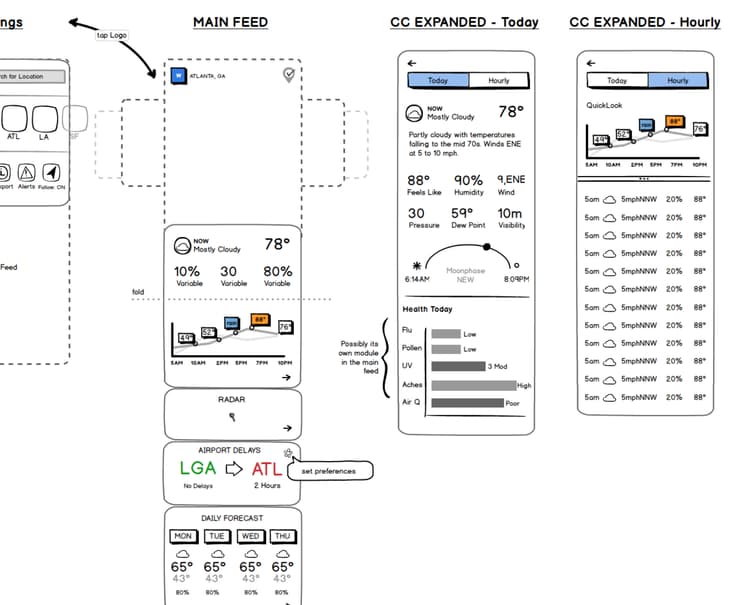
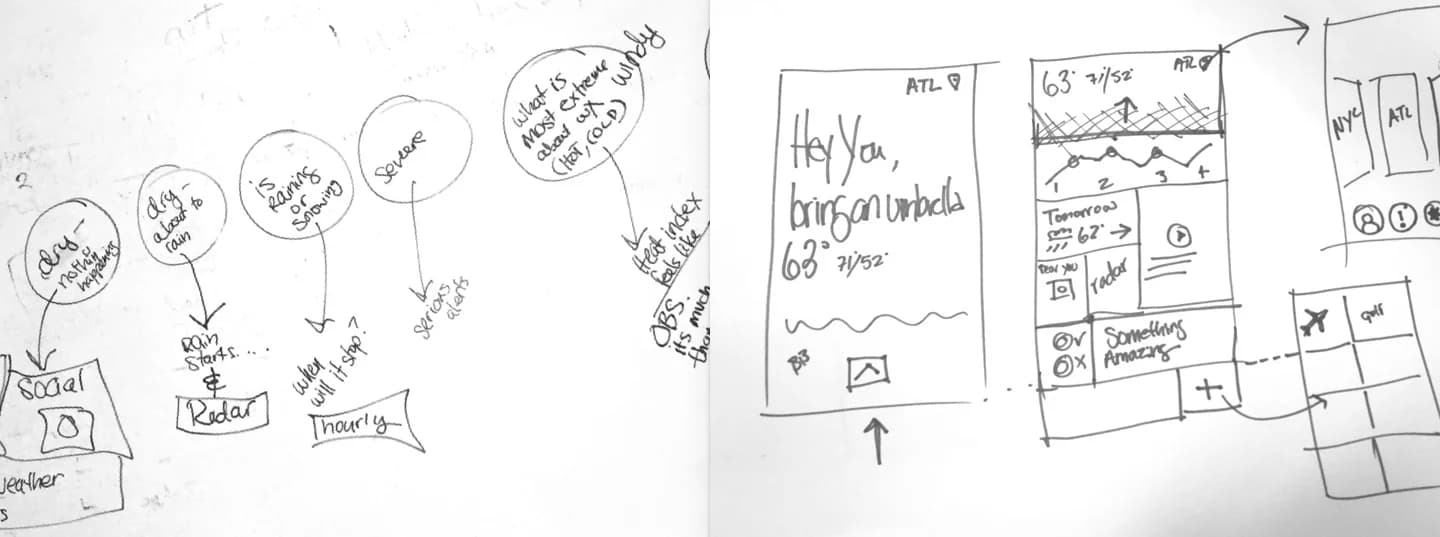
The redesign started on paper. Dozens of sketches and wireframes explored a swipe-to-detail interaction model, a calendar view for extended forecasts, and alternate home screen navigation. Each iteration was stress-tested against real usage patterns before the team converged on the shipped structure.
Home Screen Ideation and Testing
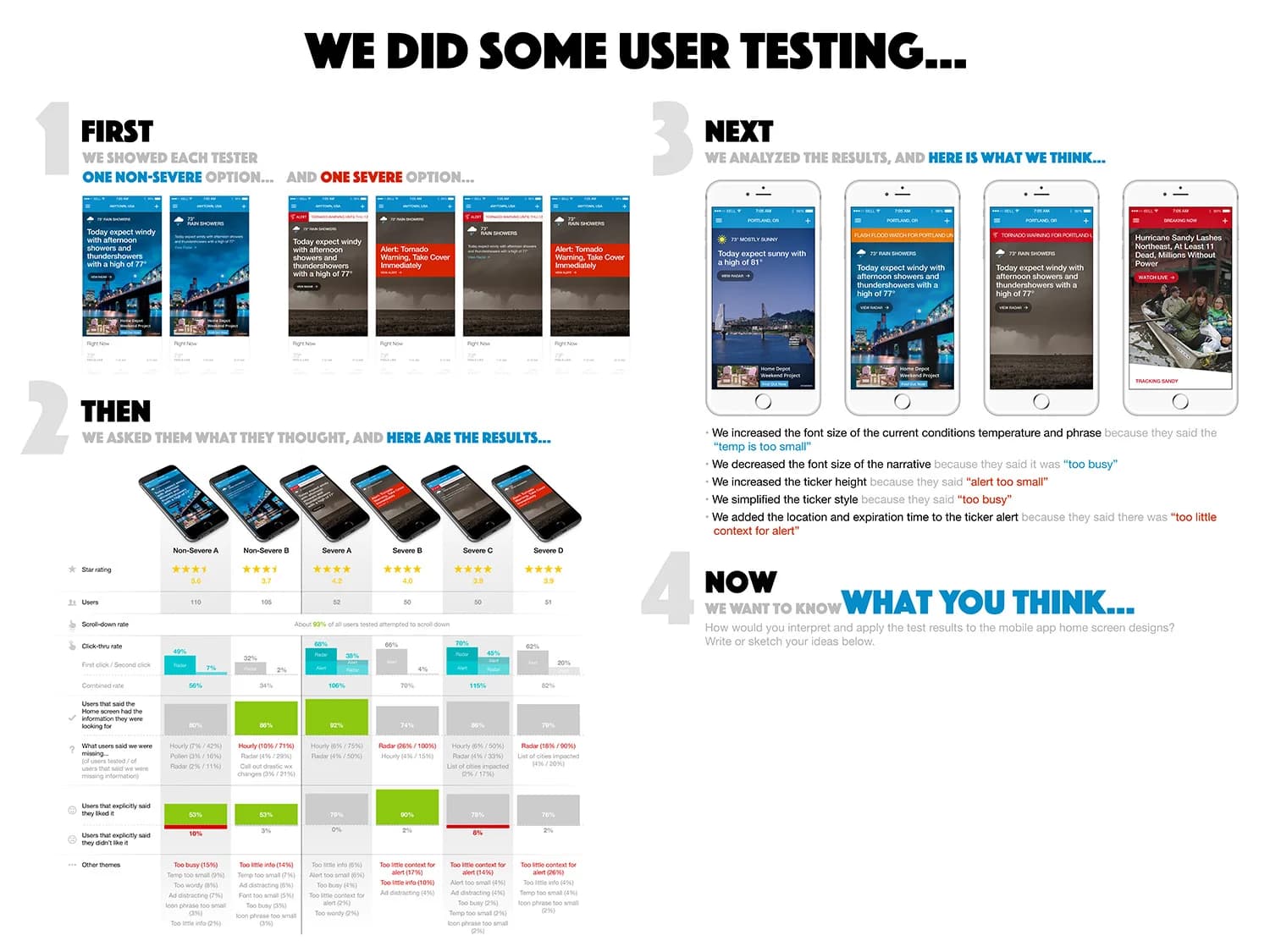
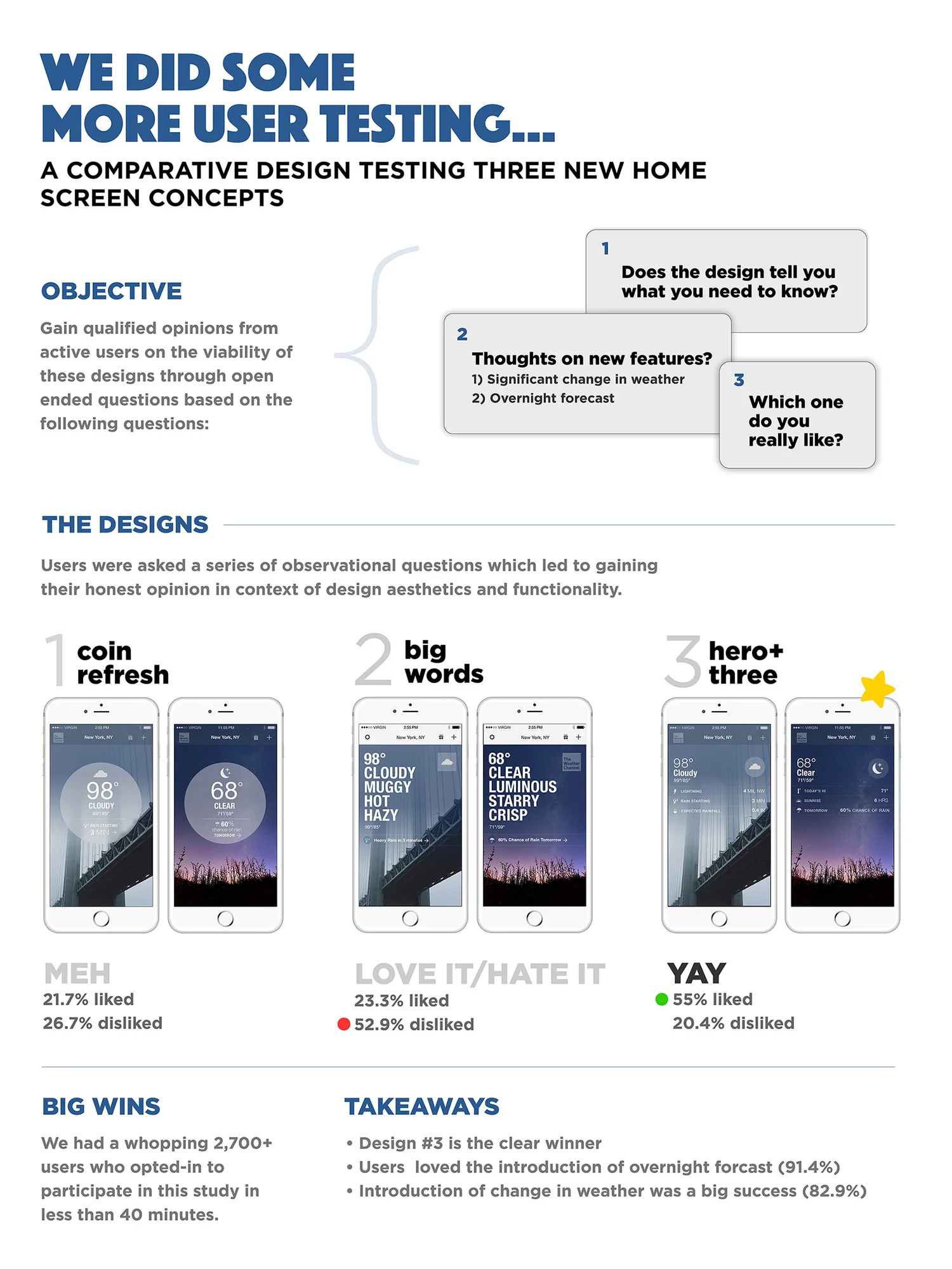
Home screen concepts moved through structured rounds of user testing. The first round paired severe and non-severe weather framing in front of live users, surfacing issues with type size, ticker copy, and alert placement. The second round tested three concepts (Coin Refresh, Big Words, and Hero+Three) against 2,700+ opted-in users in under 40 minutes. Hero+Three won decisively at 55%, validating an overnight forecast and a more prominent weather-change indicator.
Mood
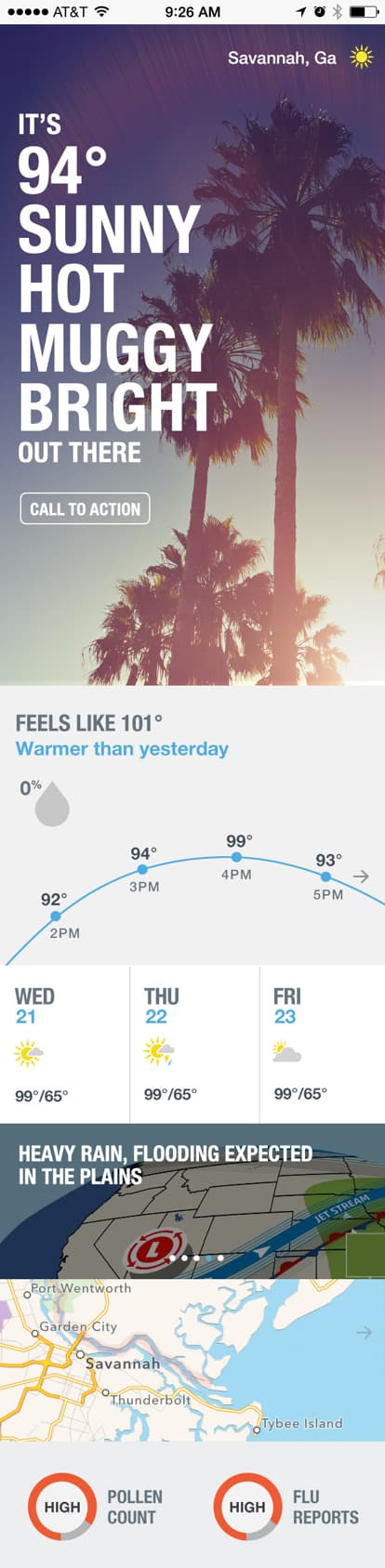
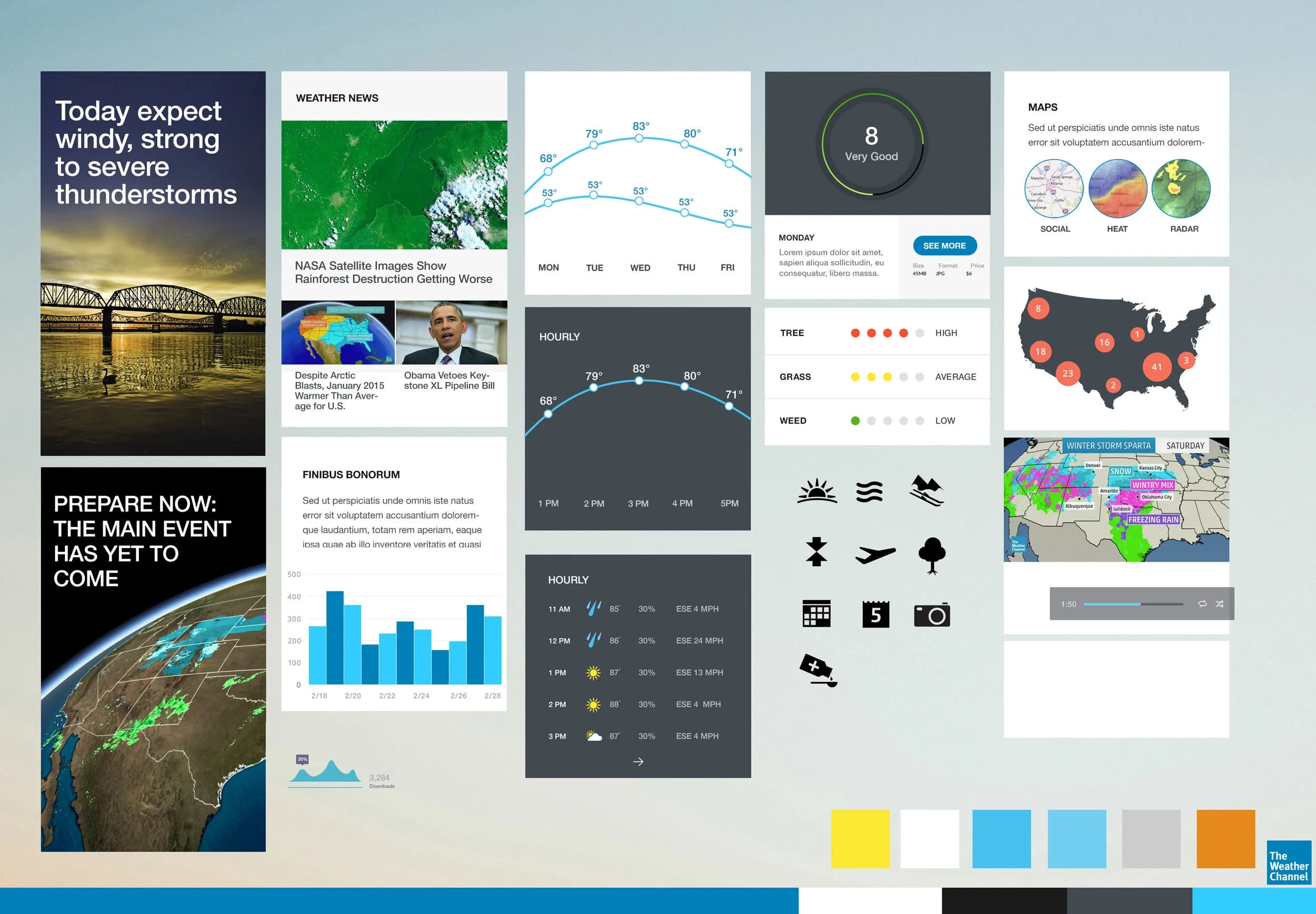
Mood exploration paired the new weather narrative language, "It's 94° Sunny Hot Muggy Bright Out There", with a wider system of live radar maps, hourly and daily forecast modules, pollen and air-quality indices, and a constrained color palette anchored to the Weather Channel's brand blue.
Visual Design
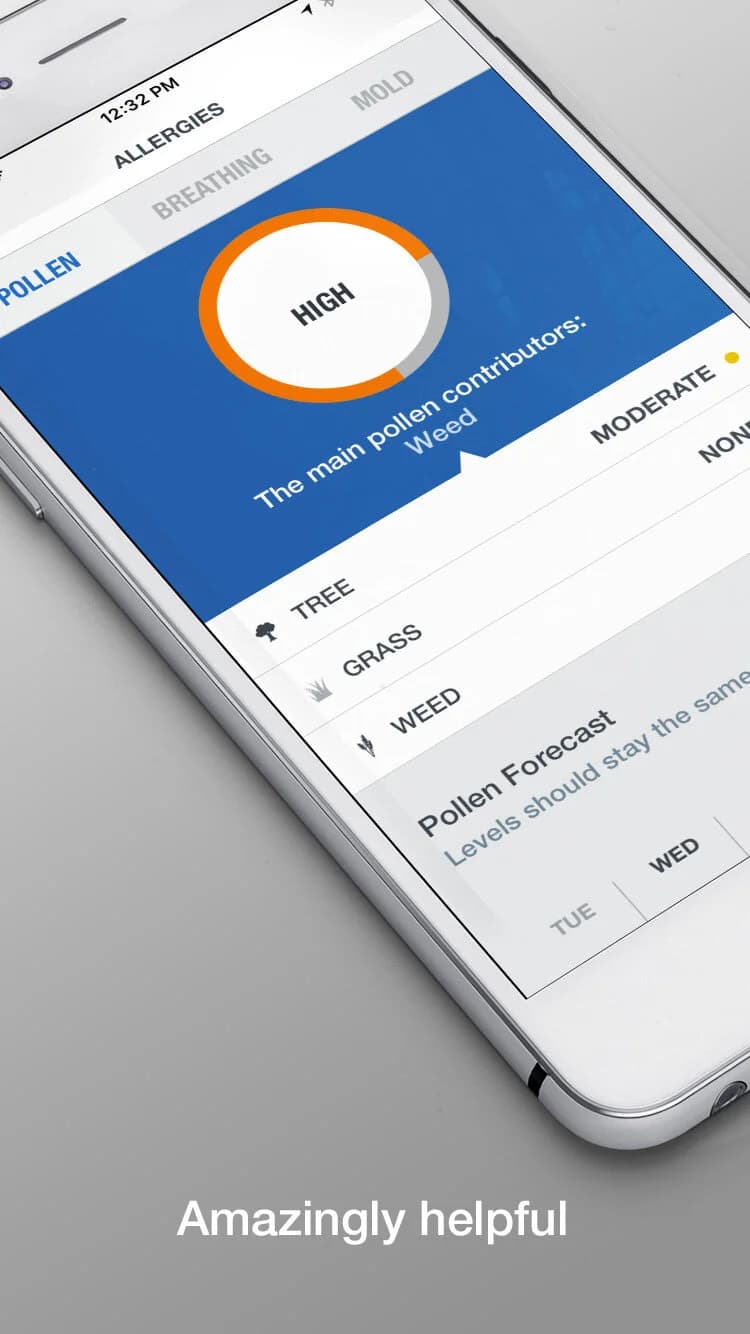
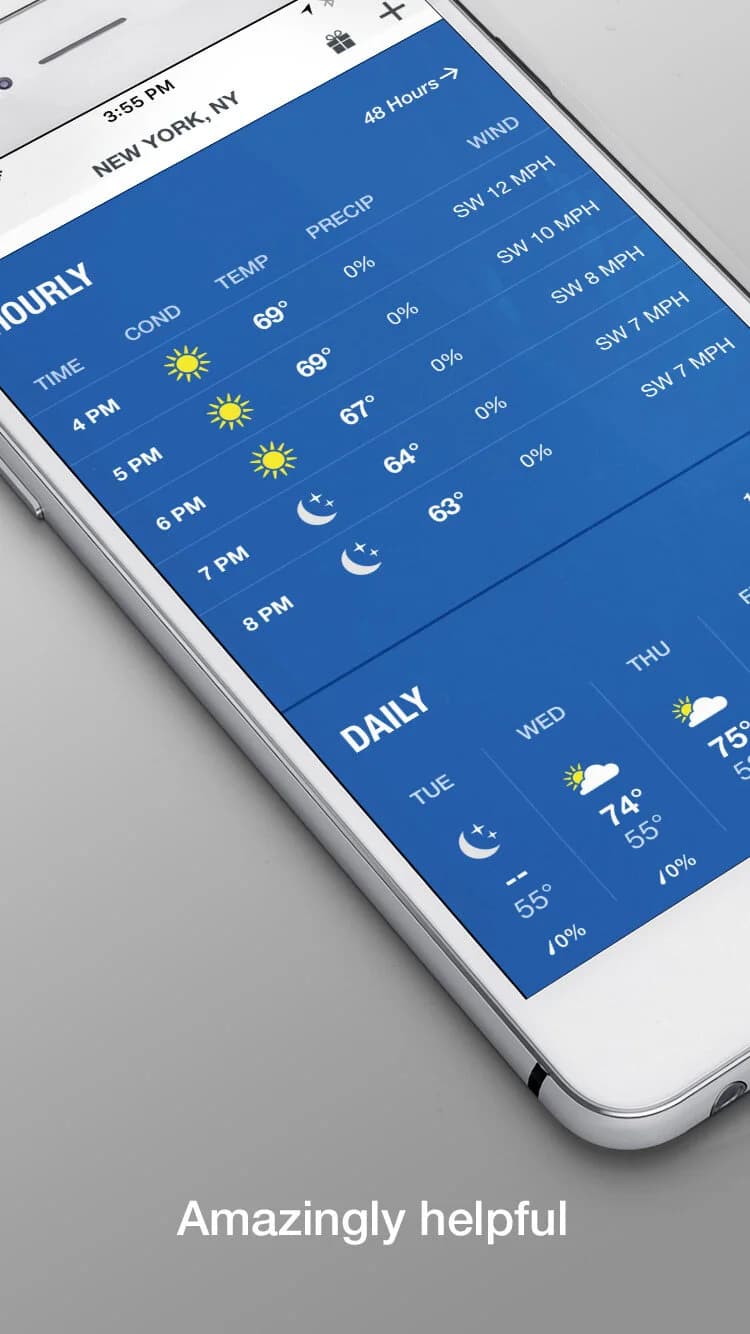
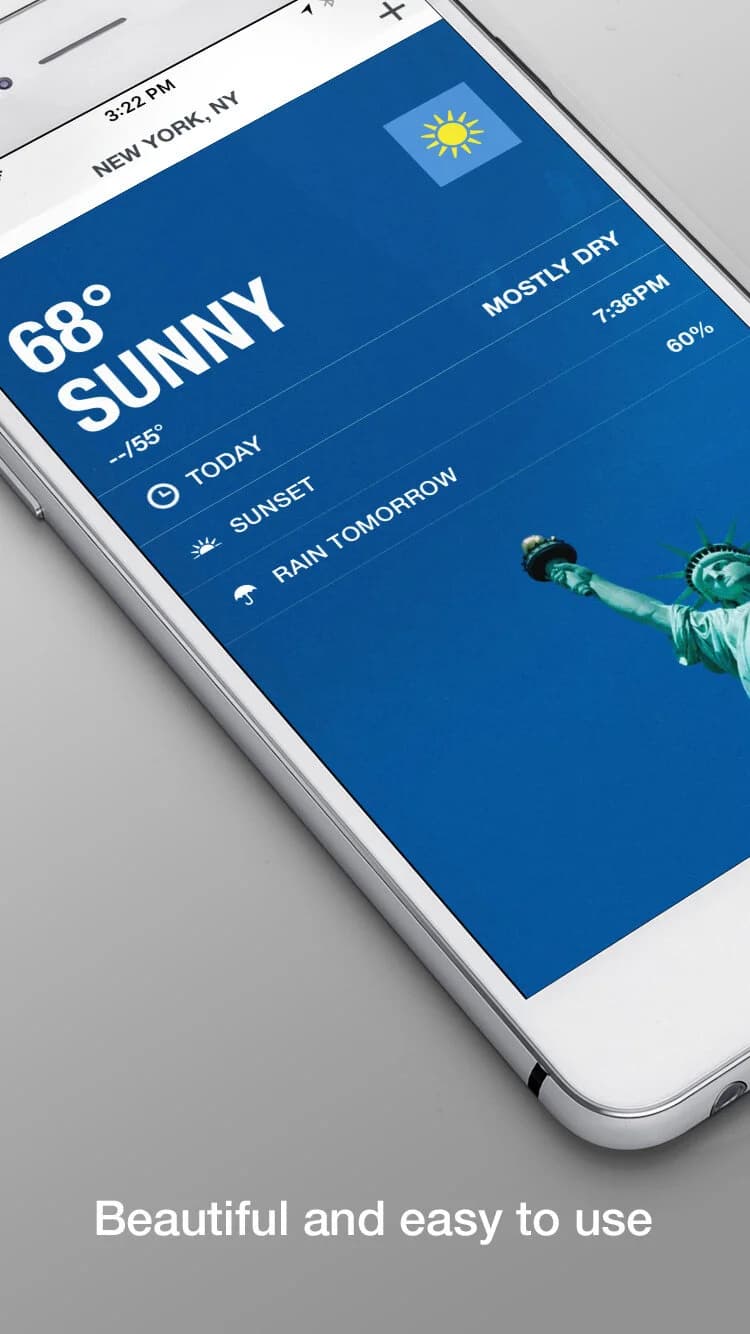
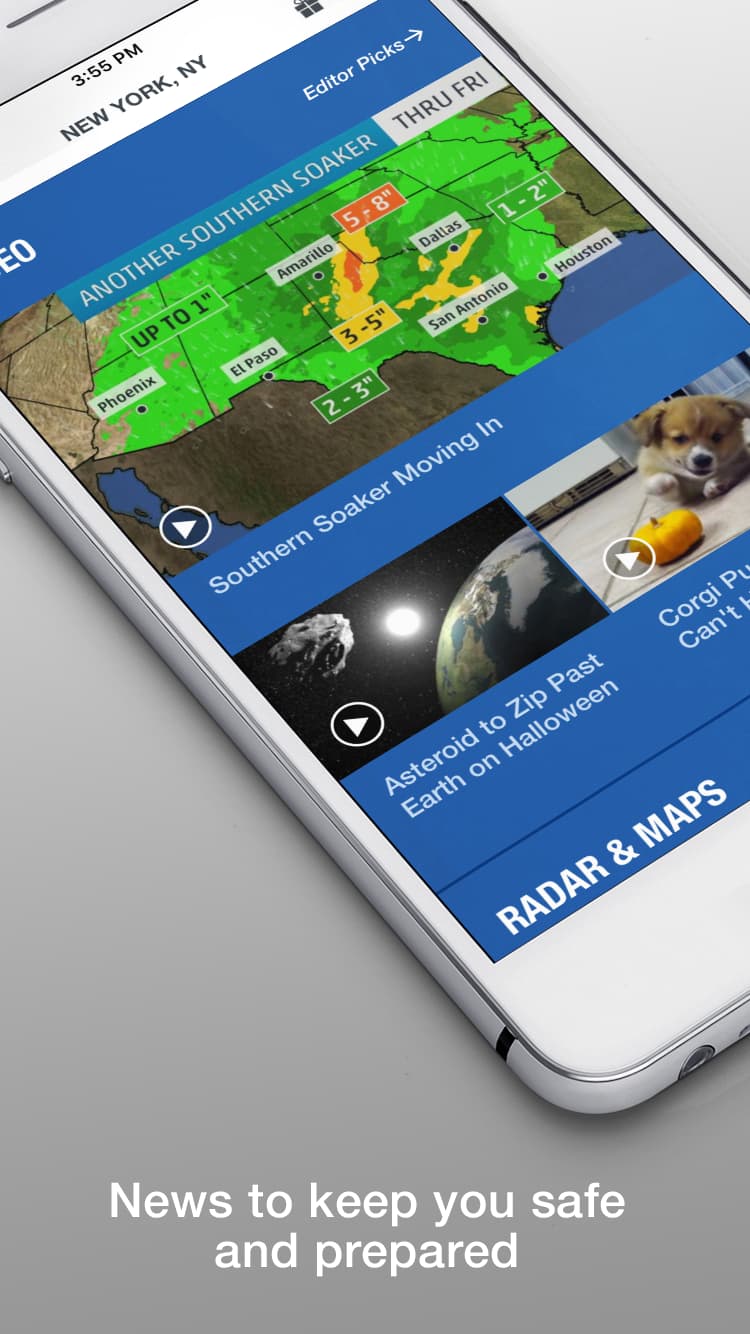
The finished visual language carried straight into App Store marketing: clean current-conditions cards, pollen and allergy tracking, hourly and daily forecast modules, and editorial news integration, all rendered in the new typography and color system.
Other Components
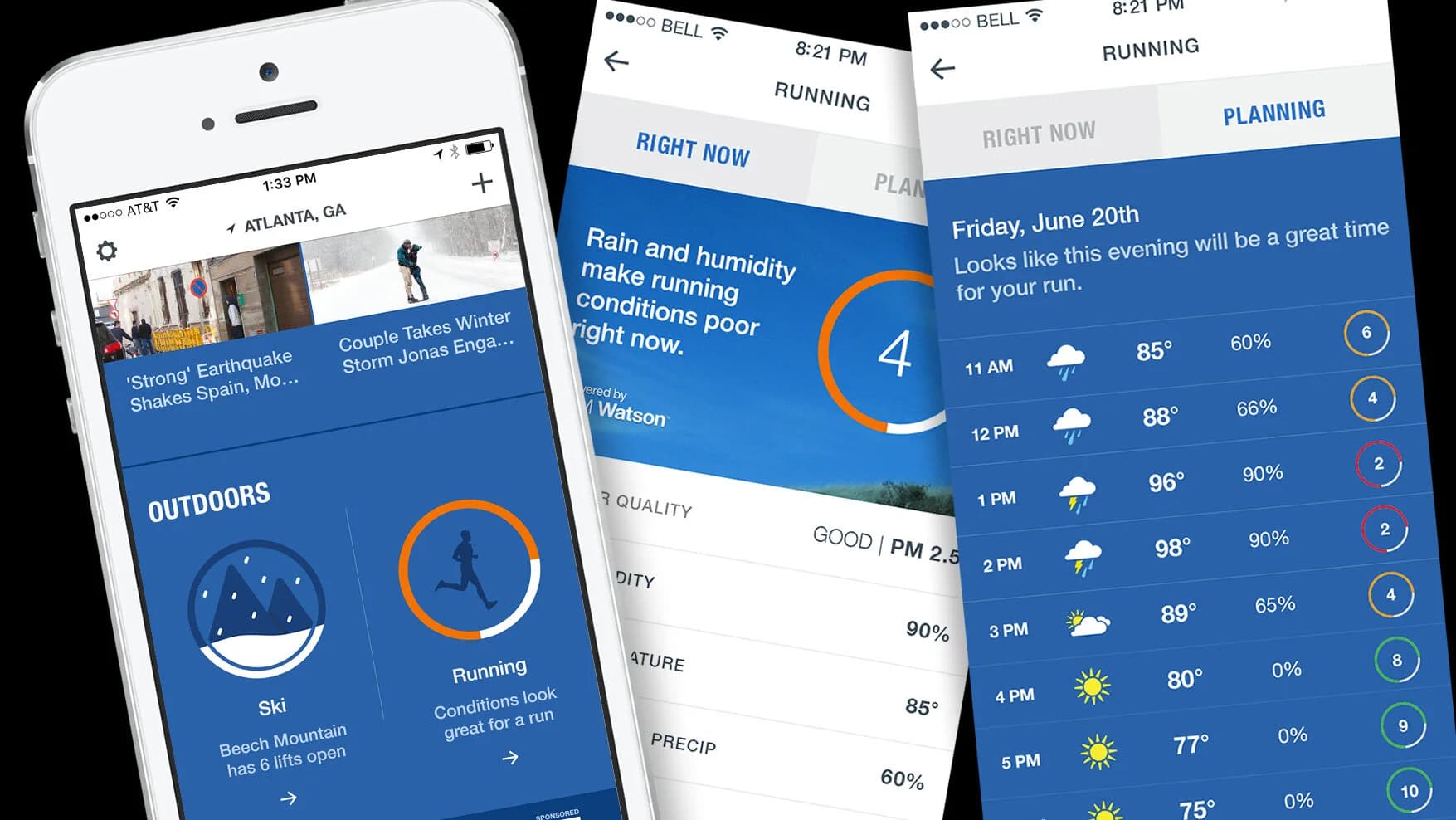
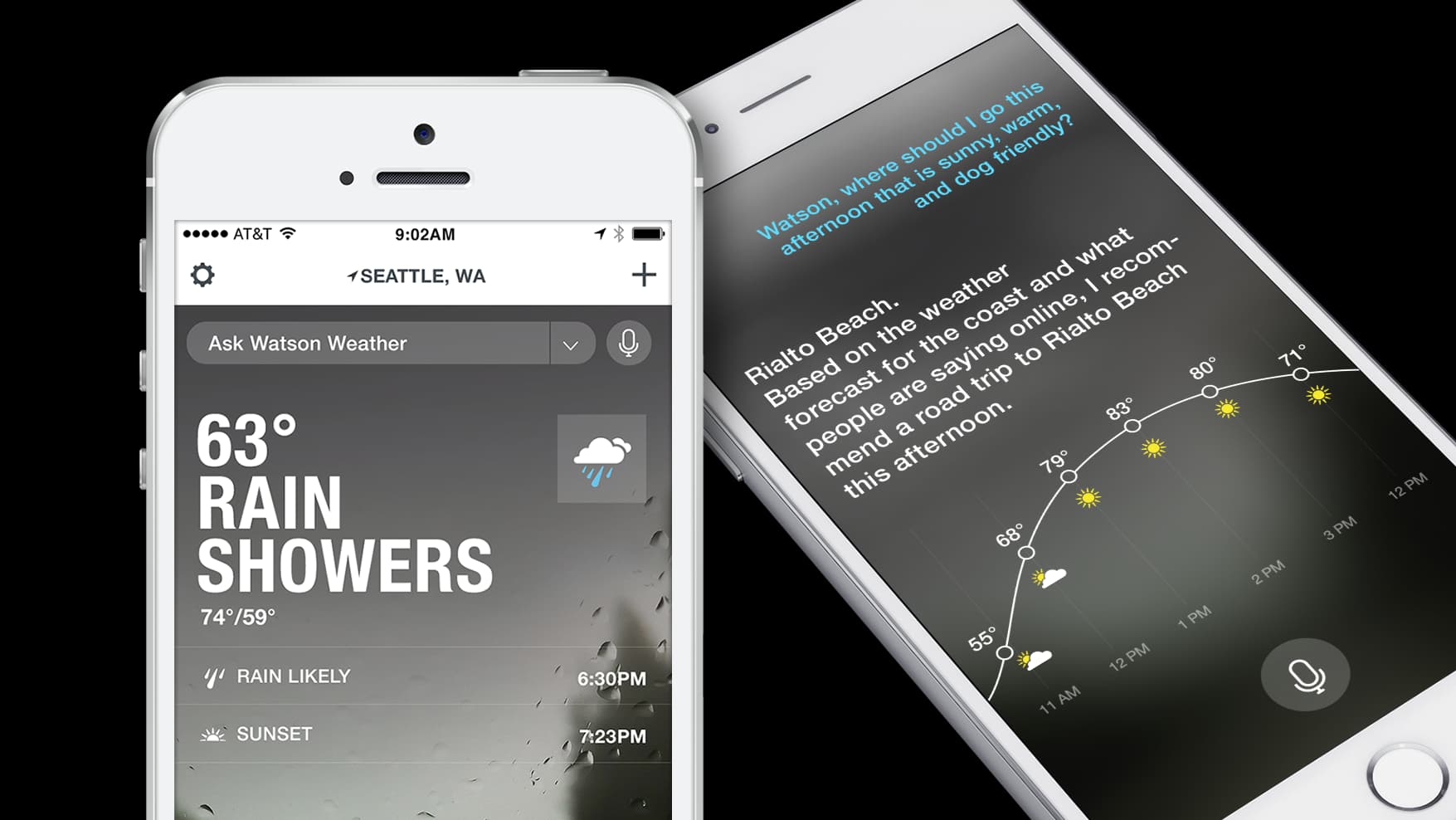
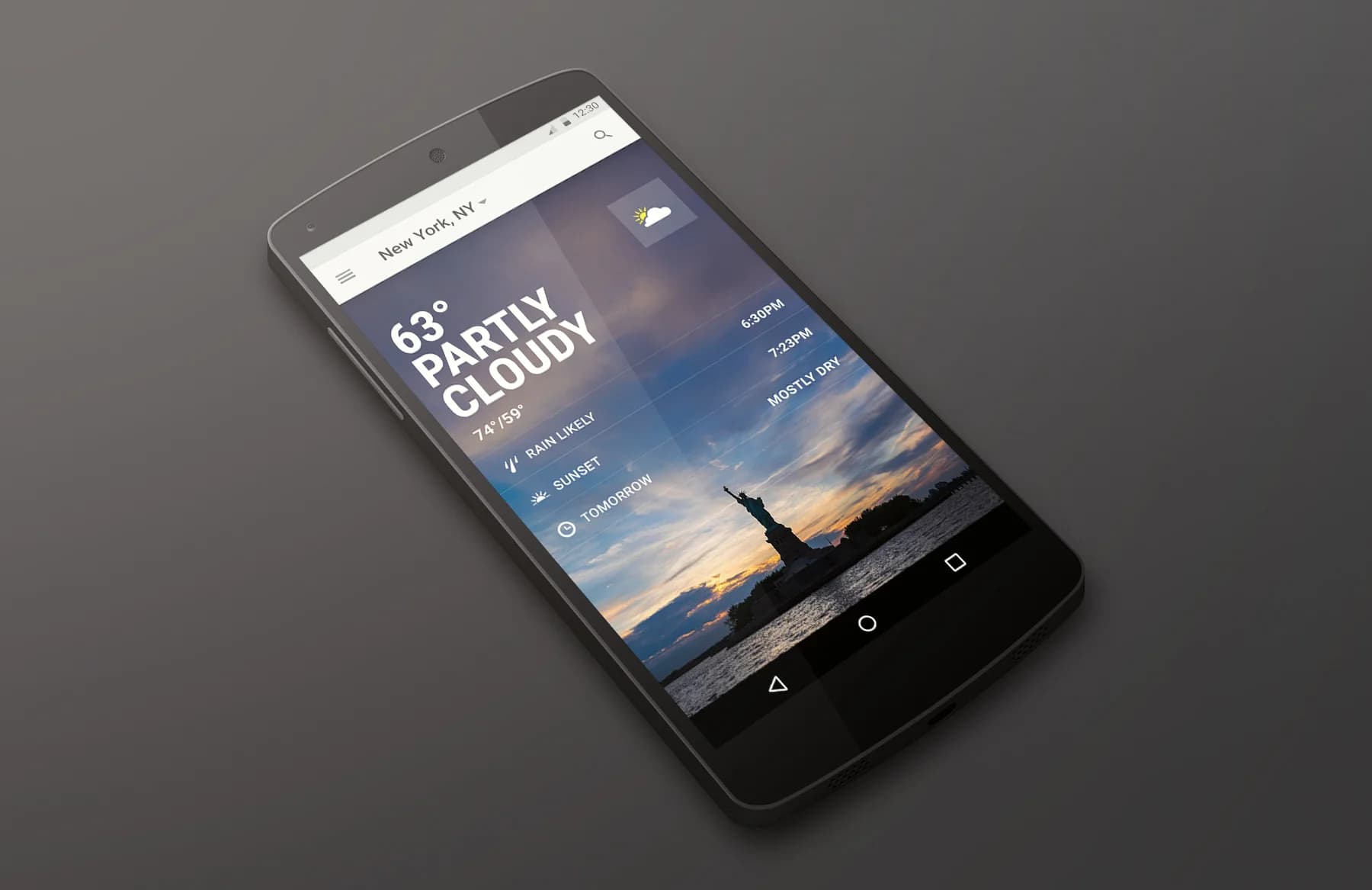
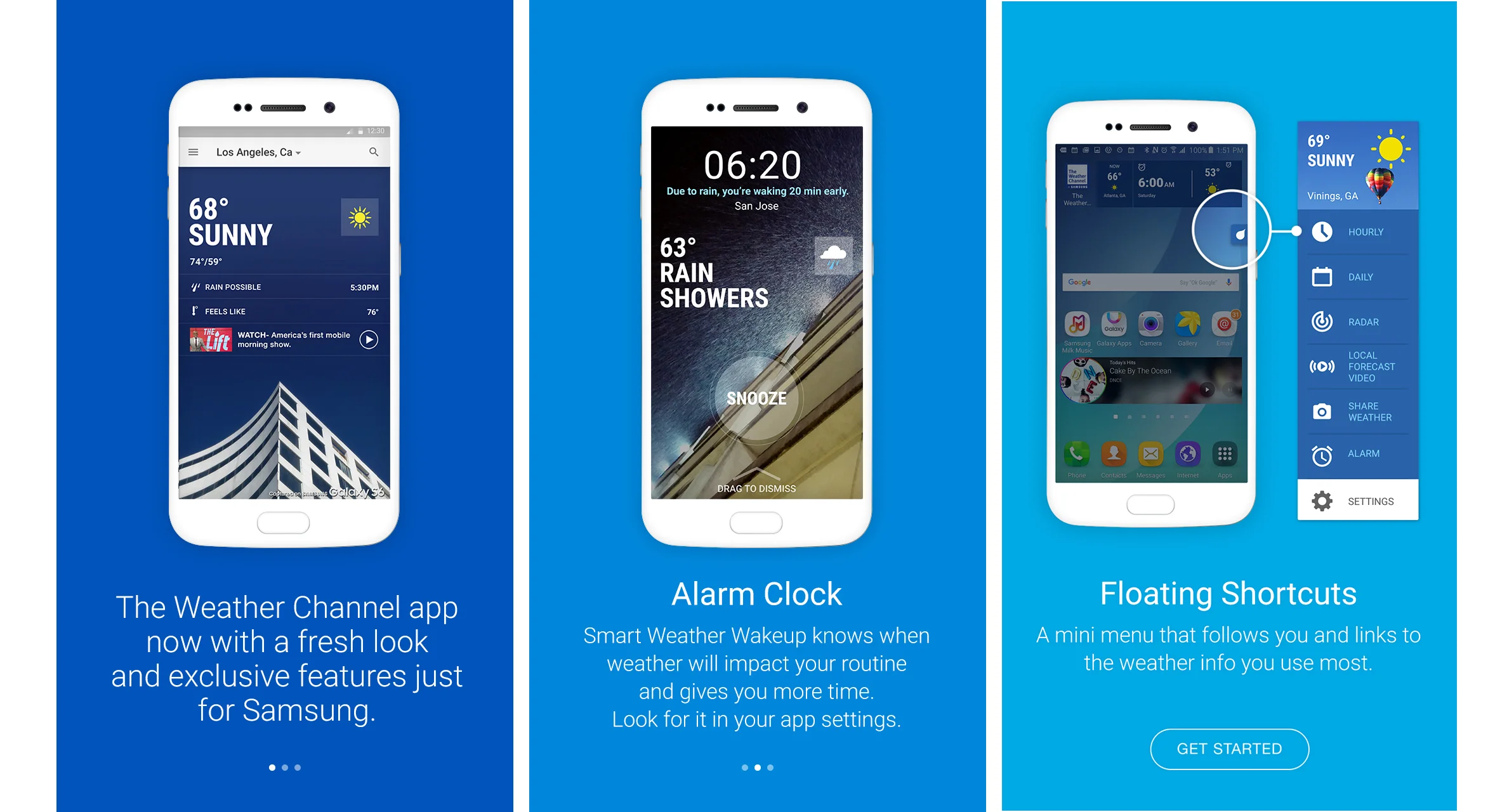
The redesign extended well beyond the home screen: outdoor activity recommendations for running and skiing based on current conditions, a conversational "Ask Watson Weather" assistant built on IBM Watson, a full Material Design build for Android, and a co-branded Samsung release with refreshed onboarding, a smart alarm clock, and floating weather shortcuts.
Apple Watch
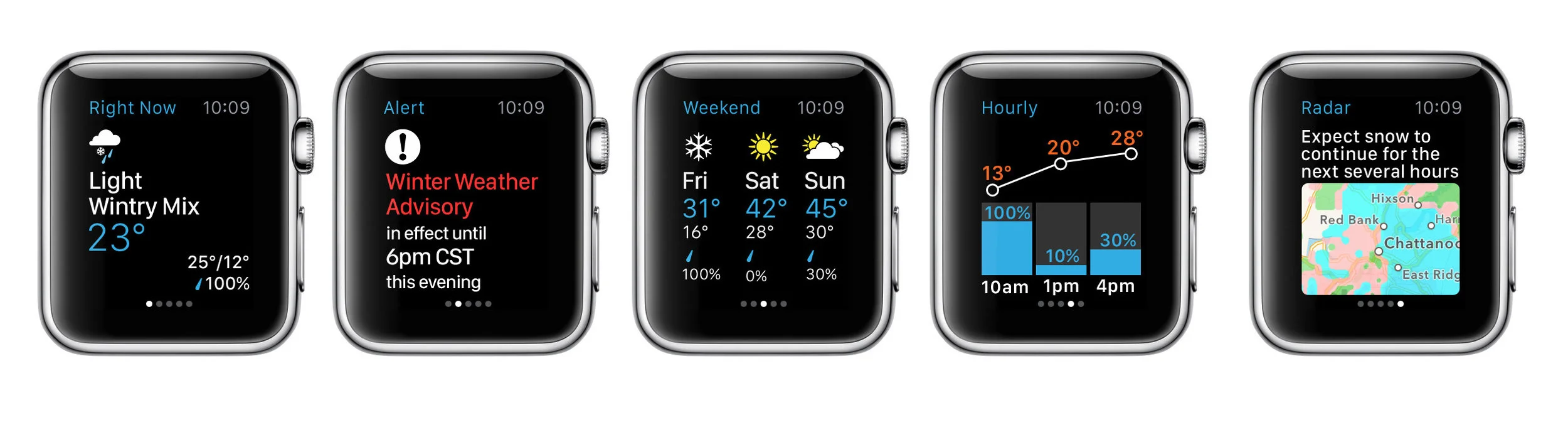
A companion Apple Watch app rounded out the redesign: glanceable current conditions, severe weather alerts, weekend outlook, hourly forecast, and radar, each built around the watch's complications and force-touch interactions.